
Streaming+ for Netflix

Discover Streaming+ for Netflix, the ultimate Safari browser extension on Mac designed to optimize, control, and upgrade your online video streaming.
Revolutionize Your Mac Streaming Experience
Picture this: you are snuggled in bed, propping your Mac up sideways, trying to enjoy your favorite show, but the video angle is completely wrong, and the constant auto-playing previews on the homepage are driving you absolute madness. This is where Streaming+ for Netflix browser extension steps in to save your movie night. Developed by Wang Xiaobo, this utility acts as a powerful control center for your Safari browser, giving you the precise playback tools that streaming platforms lack by default.
Take Complete Control with Streaming+ for Netflix Browser Extension
While designed with deep integration for Netflix, this flexible Mac utility is fully compatible with other major video platforms like YouTube, Hulu, HBO, and Amazon Prime Video. It bridges the gap between basic web players and a truly premium viewing experience by introducing several highly requested features:
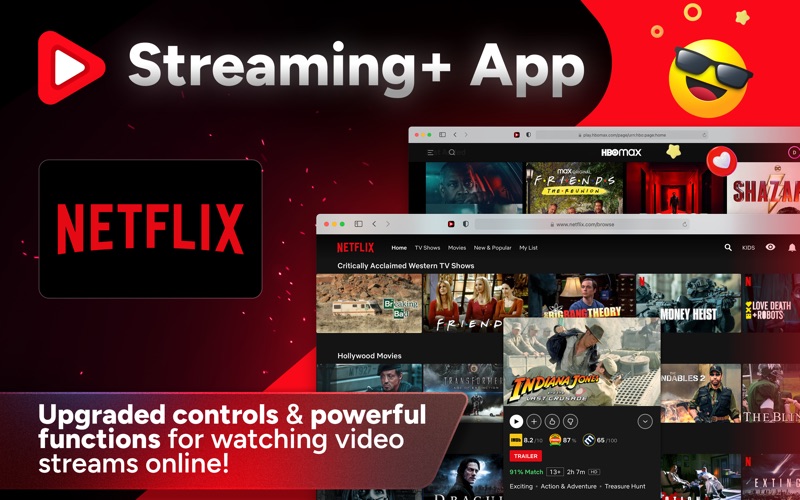
- Smart Insights: View official trailers, IMDb ratings, Rotten Tomatoes scores, and Metacritic reviews directly on Netflix before wasting time on a bad movie.
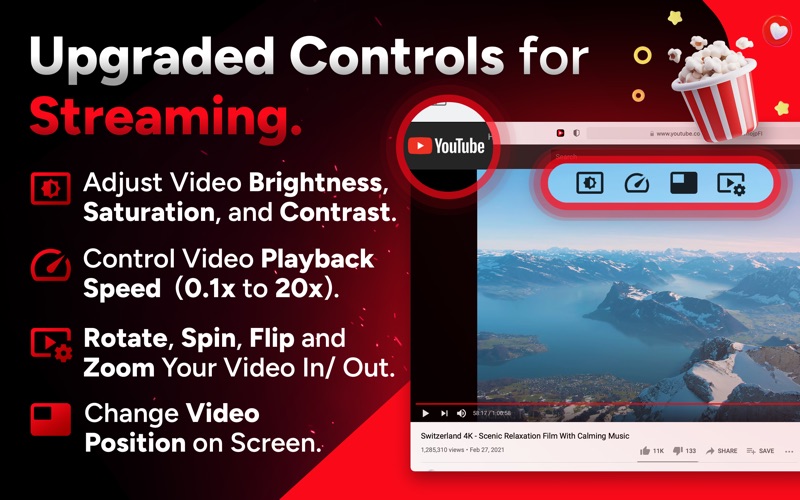
- Advanced Playback Speed: Accelerate or decelerate your content smoothly from 0.1x to 20x speed—perfect for breezing through slow lectures or binge-watching TV series.
- Visual Adjustments: Fine-tune the brightness, contrast, and saturation levels directly within the browser player.
- Screen Manipulation: Rotate, flip, spin, or zoom the video layout to match your physical viewing position.
- Autoplay Prevention: Put a permanent stop to those noisy, distracting automatic video previews on home and search screens.
Easy Configuration for Safari Users
Getting the Streaming+ for Netflix browser extension up and running on macOS is straightforward. Once installed, users simply enable the extension within Safari's Preferences menu. After granting the necessary permissions by selecting "Always Allow on Every Website" via the toolbar icon, an intuitive overlay menu will appear directly over your active video streams, giving you instant access to all custom adjustments.
Is It Right for You?
If you primarily watch streaming content on your Mac using Safari and want to bypass the rigid limitations of standard web players, this tool is an exceptional addition to your digital suite. It is highly secure, runs locally on your machine, and respects your privacy by not collecting personal browsing data.
To elevate your next movie night with advanced controls, check out the official Mac App Store to explore the Streaming+ for Netflix browser extension today.